Ishin Controls
Keyboard, fight-mode, arrest, and mobile notes so campus jobs and hallway duels stop fighting your fingers.
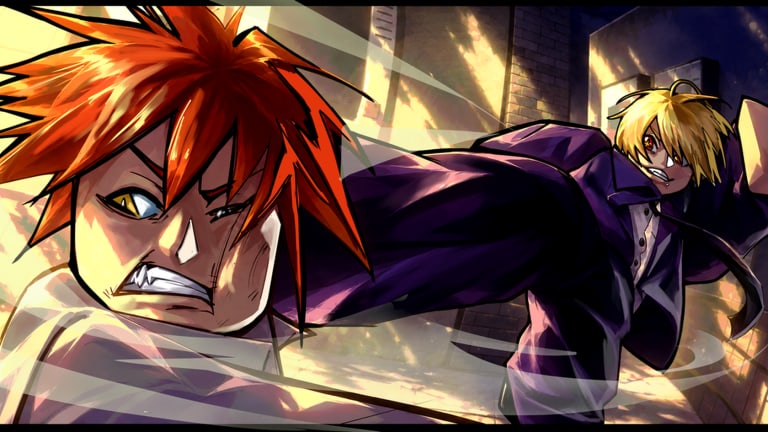
Ishin mixes a full life-sim interact loop with battlegrounds inputs. If your fingers only know M1, you will fail cafe shifts, miss apartment prompts, and feed every duel. This controls guide collects the community-standard PC layout — WASD, M1, Shift, E, 1–4, T, B — plus mobile notes and troubleshooting after UI patches.
Always open the in-game keybind / settings panel after a cooking or sticker update from Updates. This page mirrors common layouts used across guides; luure can move labels even when the actions stay similar.
Quick reference card
| Input | Action | Where it matters |
|---|---|---|
| WASD | Move | Campus pathing, duel footwork |
| M1 (primary click) | Basic attack | All fourteen styles’ neutral |
| Shift | Sprint | Jobs, rotates, approach |
| E | Interact | Cafe, lab, doors, codes-adjacent NPCs |
| 1–4 | Style skills | Confirms and kit identity |
| T | Fight mode toggle | Separate job brain from PvP brain |
| B | Arrest | Police duty after downs |
| Tab | Menu / Codes | Redeem flow — see How to Redeem |
Print this mentally before your next Pet Cafe run. The Getting Started checklist assumes you already know these binds.
Movement: WASD and Shift
WASD is standard Roblox locomotion. In Ishin, movement quality shows up twice:
- Job efficiency — shorter paths between cafe markers mean faster Yen toward the ~12,050 apartment.
- Neutral — good strafe and sprint cancel habits beat raw button mash when reach differs by height.
Shift sprint is not only a travel tool. Use it to:
- Close gaps before an M1 starter.
- Leave a lost exchange instead of greed-trading.
- Rotate graffiti and rooftop crop nodes without walking simulator energy.
Do not sprint-strafe into every wall; learn when to stop so your first M1 is aligned.
Interact: E is your life-sim career
Almost every Yen faucet uses E: Pet Cafe tasks, science potions, 8 Eleven shifts, rooftop crops, apartment entry, and assorted world props covered in Science and Jobs and How to Make Money. Habits:
- Face the prompt cleanly; spam-E while sprinting sideways wastes seconds.
- Keep fight mode off during interact chains so you do not deck a coworker.
- If E does nothing, check distance, server lag, and whether another player holds the volume.
Apartment buyers should practice E on housing prompts before they are emotionally invested in a 12,050 Yen click — see Apartments.
Offense: M1 and skills 1–4
M1 is the shared basic attack. Styles change timing and cancels, but the finger is the same. Drill:
- Short strings into stop — learn your whiff recovery.
- Strings into a skill only when the hit confirms.
- Camera adjustment before the first swing, not during it.
1–4 map to your equipped fighting style skills. You will not memorize fourteen kits overnight; open Fighting Styles for identity, then lab your four buttons in a quiet courtyard. After code rerolls (fixedlol, COOKING, COOKING2, DELAYSRY), rebind muscle memory — new kit, same keys, different anims.
Fight mode: T
T as fight mode is the most important social bind on this list. Ishin’s campus is crowded (~60 players per server). Without a clear on/off:
- Job spaces become accidental brawls.
- You eat report risk for swinging on AFK cashiers.
- You enter real duels still in civilian habits and lose the first exchange.
Recommended discipline from Combat:
- Off for cafe, lab, decorate, codes menu.
- On for committed PvP and police chases.
- Re-check after every death — deaths scramble brain state.
If T does nothing, open settings; a UI pass may have rebound fight mode. Never assume a YouTube short from launch week still matches your client.
Arrest: B on police duty
B is the common arrest input after fights while on police duty. Arrest loops are a Yen + combat hybrid: you practice downs, then convert them into job progress. Tips:
- Confirm the target is downed and you are still on duty.
- Do not try to arrest mid-Flow scramble if it gets you killed.
- Abuse-arresting friends as a “joke” burns reputation tracked socially on the Players Hub.
Police duty details sit with other jobs in Science and Jobs.
Menus: Tab and codes
Tab opens the meta menu used for Codes → Claim. Redeem rules still require the luure group and roughly one hour playtime for new accounts. Controls literacy includes knowing which menu is not a combat overlay — do not Tab yourself into a death because you were typing COOKING2 mid-hallway.
Full redeem walkthrough: How to Redeem Codes. Active list: Codes Hub.
Mobile and touch notes
Many players join Ishin on touch devices. Expectations:
- On-screen joysticks replace WASD; practice gentle steering near interact volumes.
- Attack and skill buttons map to touch UI — latency feels different than mouse M1.
- Sprint toggles can be stickier on mobile; plan longer approach lines.
- Fight mode and arrest still exist conceptually even if the glyph differs — check the mobile settings labels after patches.
- Consider a simple Bluetooth keyboard if you main police duty or serious PvP; many competitive players eventually do.
If a friend says “just press T” while you are on phone, translate that to whatever fight-mode control your UI shows today.
Accessibility and comfort settings
- Lower graphic noise if crowded servers tank your input delay.
- Rebind only after you understand defaults — unique binds make guide reading harder.
- Keep a screenshot of your bind sheet in your apartment decorate album so patch days are less painful.
- Height choice in Character Customization changes effective range; controls stay the same but timing windows feel different.
Troubleshooting inputs
| Symptom | Likely cause | Fix |
|---|---|---|
| E does nothing | Wrong angle / busy volume | Reposition, wait, rejoin |
| M1 swings during job | Fight mode still on | Toggle T off |
| Skills empty | Style not equipped / UI lag | Reopen loadout, wait replicate |
| Arrest fails | Not on duty / target up | Re-check job state |
| Codes missing | Playtime / group | Join luure, play ~1 hour |
| Everything weird after update | UI patch | Recheck settings + Updates hub |
Practice routine (15 minutes)
- Sprint a full cafe route using only movement + E (no fights).
- Toggle fight mode on, throw ten clean M1 strings, toggle off.
- Press 1–4 once each in air-safe space to refresh anim memory.
- If on police path, practice one arrest on a consenting friend.
- Open Tab once and close it without redeeming — menu calm under pressure.
Then continue into a real Combat drill block.
Related pages
- Combat — weave, block, Flow State, wall slam
- Getting Started — first-hour order of operations
- Codes — what Tab → Codes is for
- Tier List — why skills feel different per kit
- Tools — checklists that assume these binds
Learn the control card once and every other Ishin guide stops sounding like alphabet soup. The campus is loud; your inputs do not have to be.
Frequently Asked Questions
Quick answers to the most common Ishin questions.
What are the default Ishin combat keys?
Community layouts commonly use M1 to attack, 1–4 for skills, T for fight mode, Shift to sprint, and B to arrest on police duty. Confirm in your settings after patches.
How do I interact with jobs and doors?
Use E while facing the prompt. Keep fight mode off during job chains so you do not attack NPCs or other workers by mistake.
Where do I redeem codes in the UI?
Press Tab, open Codes, paste an active string, and Claim. Join the luure group and meet the playtime gate first.
Do mobile players use the same controls?
Actions match, but glyphs differ on touch UI. Check mobile settings for fight mode, attack, skills, interact, and arrest after every UI update.